Envoy Consul Overview
Table of Contents
Overview of Envoy and Consul Service Mesh #
Imagine you have two applications: frontend and backend.
For frontend to talk to backend, it needs to know backend address.
In your DEV environment, backend can simply be coupled with frontend in same machine and frontend can reach to backend by hardcoding backend’s address, e.g. localhost:5000
But things are not simple in PROD enviroment:
backendis in another host- What if there are serveral instances of
backendthat dynamically change (scaling up/down)? - What if you want to observe the traffic to
backend? - What if traffic to
backendmust be secured? - What if traffic to
backendmust be resilient? E.g.frontendmust retry when failed to talk tobackend - What if you want to test out new version of
backendto a subset of traffic fromfrontend? - What if …
These are operational problems and they get in the way of your application logic, let frontend talk to backend.
If only there’s a solution that solves all of above problems, abstract them away so that your frontend can simply use localhost to talk to backend. Envoy to the rescue!
envoy /ˈɛnvɔɪ/
noun
a messenger or representative, especially one on a diplomatic mission.
As the name suggested, Envoy is your application representative, written in C++ from Lyft, this proxy will run alongside your application and take care of all operational problems above. Simply put, your frontend may just call localhost:5000 and it just works.
For this to work, Envoy will need to know lots of information:
- Addresses of all
backendupstreams - Certificate data required to encrypt (TLS) the traffic
- Configuration data for resiliency behavior
- …
Some human Mesh Operator can supply this config to Envoy over a YAML file, but isn’t it the same problem shifting from application developer to Mesh Operator? It is not scalable for a human operator to know all infos needed by an Envoy instance, let alone muliple instances.
That is why Control Plane softwares like Consul, Istio comes to the rescue for Envoy. The Control Plane software will take care of sourcing all information required to route traffic from downstream to upstream. Envoy will fetch this information and move the traffic accordingly. We call Envoy is acting as Data Plane.
These Control Plane softwares will implement what we called a XDS Server, where Envoy can fetch all required configurations and delta over a gRPC stream.
Let’s look at how Consul implemented this.
Consul generate Envoy bootstrap config #
consul connect envoy command will generate a bootstrap config with address of Consul XDS Server and execute an external Envoy binary with that configuration.
	c.logger.Debug("Executing envoy binary")
	err = execEnvoy(binary, nil, args, bootstrapJson)
Envoy talks to Consul XDS Server #
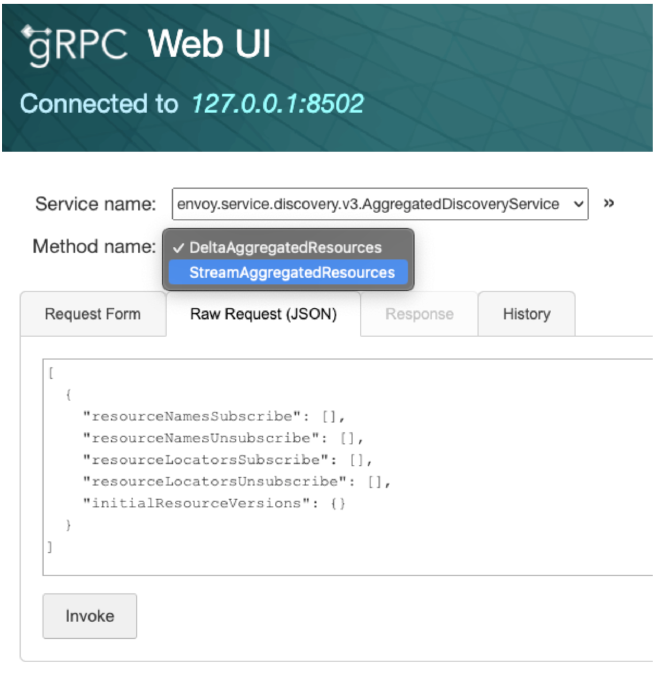
Consul will run an Envoy XDS Server and implements envoy_discovery_v3.AggregatedDiscoveryServiceServer
// DeltaAggregatedResources implements envoy_discovery_v3.AggregatedDiscoveryServiceServer
func (s *Server) DeltaAggregatedResources(stream ADSDeltaStream) error {
	defer s.activeStreams.Increment(stream.Context())()

	// a channel for receiving incoming requests
	reqCh := make(chan *envoy_discovery_v3.DeltaDiscoveryRequest)
	reqStop := int32(0)
	go func() {
		for {
			req, err := stream.Recv()
			if atomic.LoadInt32(&reqStop) != 0 {
				return
			}
			if err != nil {
				s.Logger.Error("Error receiving new DeltaDiscoveryRequest; closing request channel", "error", err)
				close(reqCh)
				return
			}
			reqCh <- req
		}
	}()

	err := s.processDelta(stream, reqCh)
Consul watches for changes in its state #
This is the fun part!
The first time an Envoy instance reaching out to Consul, Consul will remember its proxy_name. Based on this, various long-polling aka blocking-query aka watch will be made to Consul state to watch for changes.
Any changes detected will be accumalated in a snapshot that will be used to build required Envoy config (Listener/Cluster/Route/Endpoint/Secret)
I will write a detail blog post on blocking-query mechanism and data flow later.